You're browsing as a guest. Sign up to join the conversation, share your grows, and get help from thousands of fellow growers — it's free and takes less than a minute.
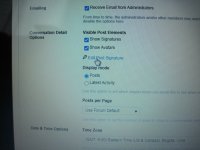
I believe what your looking for is called your signature. In top right of page click on your name then on the drop down menu click user settings and about 1/2 way down that page is spot called conversation detail options in that section is spot to edit post signature. Hope I'm right about this but if not I'm sure someone will correct me err I mean give you the info your looking for.
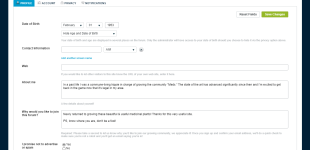
Poppa, the problem is that the "User Settings -> Profile" page apparently doesn't always display a "Conversation Detail Options" area.
I was finally able to add my profile specs, using the option you describe but it has since disappeared from the profile page again.
See the screen shot attached, isn't this the page you are referring to? Is "Conversation Details" somehow accessible and we're just not seeing it? Or are we looking in the wrong place entirely?
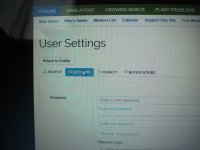
I clicked on my name. Picked user settings. Where it says profile I chose account. Scrolled down to edit signature highlighted in blue. I am on a phone, have no computer.
If it did not go where you wanted after going to user settings you may need to change tab on that page to account like in second picture then 1/2 way down the page.
This site uses cookies to help personalise content, tailor your experience and to keep you logged in if you register.
By continuing to use this site, you are consenting to our use of cookies.